bino init
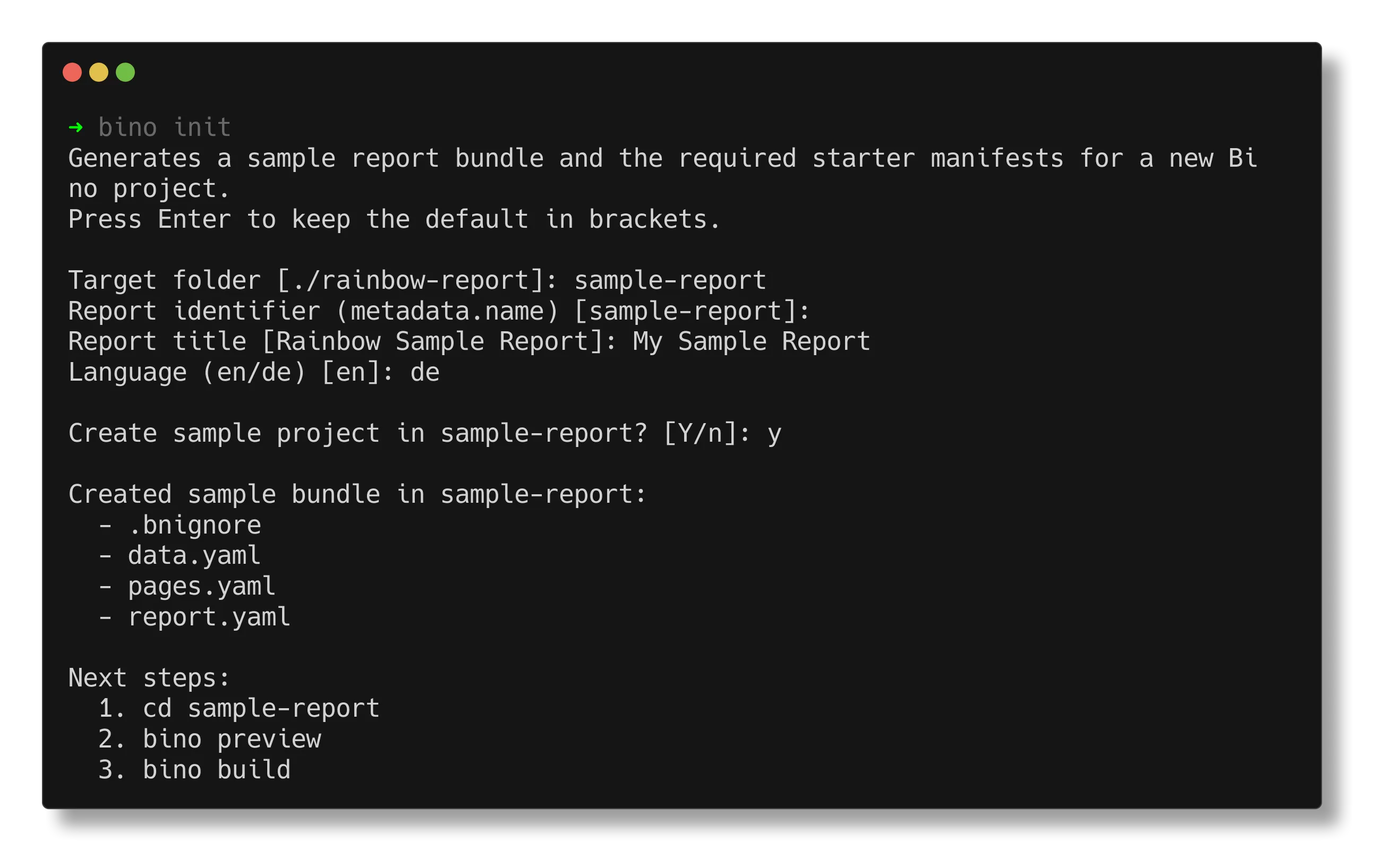
bino init creates a new workdir with sample manifests, data, and configuration.
It is the recommended way to start a new report bundle.
bino init [flags]Common flags:
--directory, -d– target directory (default: current directory).--name– internal report name.--title– human-readable report title.--language– language code (for exampleen,de).-y, --yes– run non-interactively with defaults.--force– overwrite existing files.
Examples
Section titled “Examples”Create a bundle in the current directory interactively:
bino initCreate a bundle in a new directory with explicit title and language:
bino init --directory monthly-report --title "Monthly Sales" --language enRun non-interactively with defaults, overwriting existing files:
bino init -d my-report -y --forceAfter initialization, continue with Your first report.
The bino.toml Configuration File
Section titled “The bino.toml Configuration File”Every Bino project contains a bino.toml file in its root directory. This file stores the project’s unique identifier and can define default arguments and environment variables for CLI commands.
Structure
Section titled “Structure”report-id = "550e8400-e29b-41d4-a716-446655440000"
[build.args]
out-dir = "dist"
browser = "chromium"
log-sql = false
no-lint = false
[build.env]
BNR_MAX_QUERY_ROWS = "50000"
DATABASE_URL = "postgres://localhost/mydb"
[preview.args]
port = 8080
lint = true
[preview.env]
BNR_MAX_QUERY_ROWS = "10000"Setting Command Defaults
Section titled “Setting Command Defaults”You can define default values for any flag supported by bino build or bino preview. When you run a command, the CLI:
- Reads the defaults from
bino.toml - Applies any explicit command-line flags (which override the TOML values)
- Logs an info message when a TOML value is overridden
Build Defaults
Section titled “Build Defaults”Configure defaults for bino build in the [build.args] section:
[build.args]
out-dir = "output"           # Output directory for generated PDFs
browser = "firefox"          # Browser engine: chromium, firefox, webkit
log-sql = true               # Log SQL queries during build
no-graph = true              # Skip dependency graph files
no-lint = false              # Run lint rules (default)
log-format = "json"          # Build log format: text or json
embed-data-csv = true        # Embed CSV data in logs
embed-data-max-rows = 20     # Max rows per embedded CSV
embed-data-max-bytes = 131072
embed-data-base64 = true
embed-data-redact = true
detailed-execution-plan = true
artefact = ["monthly", "weekly"]       # Build only these artefacts
exclude-artefact = ["draft"]           # Skip these artefacts
Preview Defaults
Section titled “Preview Defaults”Configure defaults for bino preview in the [preview.args] section:
[preview.args]
port = 9000                  # Preview server port
log-sql = true               # Log SQL queries
lint = true                  # Run lint rules on refresh
Setting Environment Variables
Section titled “Setting Environment Variables”You can define environment variables for each command using [build.env] and [preview.env] sections. This is useful for setting runtime configuration like query limits or database connection strings.
Build Environment
Section titled “Build Environment”[build.env]
BNR_MAX_QUERY_ROWS = "100000" # Maximum rows per query
BNR_MAX_QUERY_DURATION_MS = "120000" # Query timeout (2 minutes)
DATABASE_URL = "postgres://prod-server/reports"
API_KEY = "default-key-for-builds"Preview Environment
Section titled “Preview Environment”[preview.env]
BNR_MAX_QUERY_ROWS = "10000" # Lower limit for faster previews
BNR_CDN_MAX_BYTES = "10485760" # 10 MB CDN cache limit
DATABASE_URL = "postgres://localhost/dev"Override Priority
Section titled “Override Priority”The configuration follows a clear priority order (highest to lowest):
- Actual environment variables – System or shell environment variables always take precedence
- TOML environment values – Values from
[build.env]or[preview.env] - Default values – Built-in defaults
For command-line flags:
- Explicit CLI flags – Flags passed on the command line
- TOML args values – Values from
[build.args]or[preview.args] - Default values – Built-in defaults
Override Messages
Section titled “Override Messages”The CLI informs you when values are overridden:
When a CLI flag overrides a TOML arg:
$ bino build --browser webkit
Overriding browser from bino.toml ("firefox" -> "webkit")
When an environment variable overrides a TOML env value:
$ BNR_MAX_QUERY_ROWS=200000 bino build
Environment variable BNR_MAX_QUERY_ROWS overrides bino.toml ("100000" -> "200000")
This makes it easy to use project-wide defaults while still allowing one-off overrides for specific runs or CI environments.