Text
Text manifests define text values that can be used directly or as children of layouts and cards.
They can optionally bind to one or more datasets and support font-size scaling to fit the available space.
Minimal definition
Section titled “Minimal definition”This is the smallest well-formed Text: the required value plus the dataset the
commentary reads its numbers from.
A single dataset name is the common case; dataset also accepts an array of names or an
inline DataSet definition (see Template expressions for how the
bound rows are addressed).
All attributes are listed in the Attribute Reference below.
Fields:
spec.value- required string. Supports Markdown syntax (see below) and template expressions (see below).spec.dataset- optional dataset reference; a single name, an array of names, or an inlineDataSetdefinition.spec.scale- optional scaling mode (see Scaling).spec.selectedStyle- optional name of aComponentStyleto apply; merged over the_systemand_defaultstyles.spec.i18nNamespace- optional i18n namespace for this component’s labels; when unset it is inherited from the nearest ancestor that carries one.
Markdown support
Section titled “Markdown support”The value field accepts Markdown. The Markdown is converted to HTML at build time
and the resulting HTML is placed in the bn-text element’s value attribute.
Plain strings still work - they are wrapped in a <p> tag automatically.
Examples
Section titled “Examples”Bold and italic text:
Links:
Lists:
Asset images:
You can embed images from Asset manifests using the asset: URL scheme:
The asset: prefix is resolved at build time to the actual URL. See the Asset reference for details.
Mixed formatting:
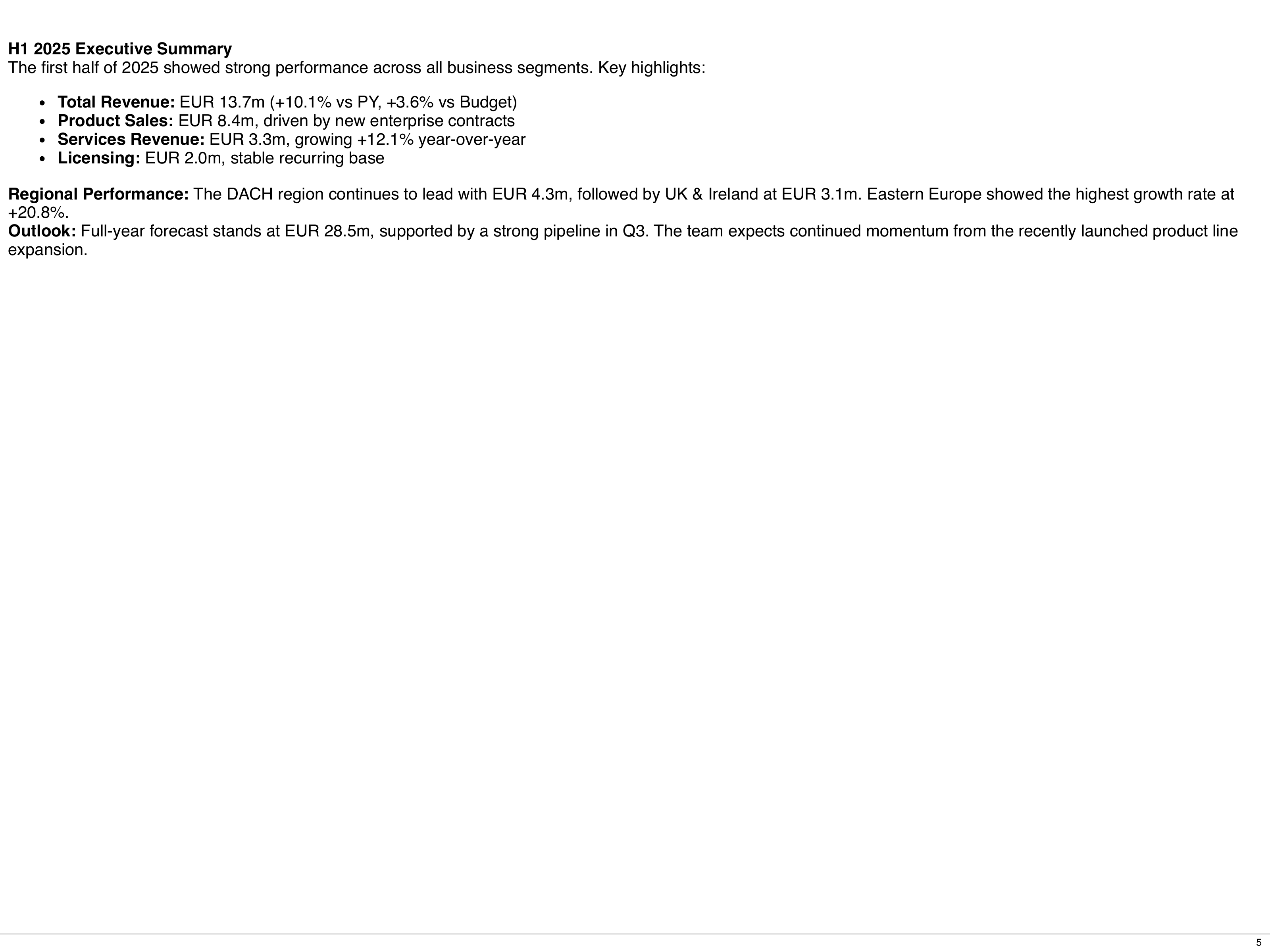
Template expressions
Section titled “Template expressions”The value field can hold placeholders for dynamic content.
The engine replaces them in the browser with values from the bound datasets and with translations.
Nothing is evaluated: a placeholder is a lookup, not JavaScript.
These placeholders are replaced:
${data.<dataset>[<row>].<field>}- one field of one row of a bound dataset.<row>is the row number, starting at 0.${data['<name>'][<row>].<field>}- the same for a dataset name that is not a plain identifier, such aslaptop-revenue.${t('<key>')}- looks the key up in the component’s i18n namespace (set viai18nNamespace, otherwise inherited from the nearest ancestor carrying one; keys missing there fall back to_system) for the artefact’s language; an unknown key renders as the key itself. See the Internationalization reference.${t('<key>', { name: 'text', count: 3, value: data.kpi[0].ac1 })}- a translation with parameters for its{{name}}placeholders. A parameter is a text in single quotes, a number or a dataset path.
Write the strings inside a placeholder in single quotes. Double quotes in Markdown text are escaped at build time, and such a placeholder is printed as written.
Any other ${...} is printed as written. That includes arithmetic (${data.kpi[0].ac1 / 1000}), method calls (${data.kpi[0].ac1.toFixed(1)}) and conditions. Compute such values in the DataSet SQL and read the result with a placeholder.
Dataset values and translations are HTML-escaped, so they are shown as text.
A placeholder that does not resolve (unknown dataset, row or field) renders empty and sets a WARN_value_path warning on the component.
Write placeholders plain: only a bare name such as ${NAME} or ${NAME:default} is expanded as an environment variable.
Security
Section titled “Security”No code from value is run. The HTML output is sanitized against XSS:
- Allowed elements:
br,b,i,strong,em,span,p,div,h1-h6,ul,ol,li,table,thead,tbody,tfoot,tr,th,td,sub,sup,small,hr,a,img,code,pre,blockquoteanddel. An element that is not allowed is removed together with its content. - Allowed attributes:
class,style,href,src,alt,title,width,height,colspanandrowspan. All others are removed, including event handlers (onclick,onerror, …). styleis kept only when it is exactlytext-align: left,text-align: centerortext-align: right.hrefandsrcaccepthttp,https,mailtoand relative URLs.srcalso acceptsdata:URLs. Any other scheme, such asjavascript:, removes the attribute.
Scaling
Section titled “Scaling”The scale field controls how the text component scales its font size
to fit within the available parent space. Scaling considers both width and height -
the tighter constraint wins.
scale value |
Behavior |
|---|---|
| (not set) | Auto-scale to fit; emits an AUTO_scale warning with the applied factor |
"none" |
No scaling; emits WARN_overflow warning if content overflows |
"auto" |
Auto-scale to fit, silently (no warning) |
"0.5", "0.8", "1.2", … |
Apply baseFontSize × factor; emits WARN_overflow if content still overflows |
Other values (negative or zero factors, non-numeric strings, unrecognized keywords) are rejected by schema validation, so they never reach the renderer.
Standalone text manifest
Section titled “Standalone text manifest”Text as a layout child
Section titled “Text as a layout child”Attribute Reference
Section titled “Attribute Reference”Common Metadata
Section titled “Common Metadata”| Attribute | Type | Required | Default | Description |
|---|---|---|---|---|
apiVersion |
string | yes | - | Must be bino.bi/v1alpha1. |
kind |
string | yes | - | Must be Text. |
metadata.name |
string | yes | - | Unique identifier. |
metadata.labels |
object | no | - | Key-value pairs for categorization and constraint matching. |
metadata.annotations |
object | no | - | Arbitrary key-value metadata, not used by the system. |
metadata.description |
string | no | - | Free-form description. |
metadata.constraints |
array | no | - | Conditional inclusion rules. See Constraints. |
Spec Attributes
Section titled “Spec Attributes”| Attribute | Type | Required | Default | Description | Sample |
|---|---|---|---|---|---|
spec.value |
string | yes | - | Text content. Supports Markdown syntax and template expressions ${data.<dataset>[0].field} and ${t('key')}. |
value: "**Revenue** grew by *12%*" |
spec.dataset |
string, object, or array | no | - | Dataset reference for template interpolation: a DataSet name, an inline DataSet definition, or an array of either. Provided by the withDataset mixin. |
dataset: kpi_summary |
spec.scale |
string or number | no | auto-scale with warning | Font-size scaling mode. "none": no scaling. "auto": auto-scale silently. A positive number or numeric string (e.g. 0.5, "0.8", 1.2): explicit baseFontSize × factor. When omitted, auto-scales and emits an AUTO_scale warning. See Scaling. |
scale: auto |
spec.selectedStyle |
string | no | - | Name of a ComponentStyle manifest to apply. The effective style merges _system, then _default, then the named style. Maps to the selected-style HTML attribute. |
selectedStyle: corporate-style |
spec.i18nNamespace |
string | no | - | I18n namespace for this component’s labels; missing keys fall back to _system. Resolved at runtime from the nearest ancestor carrying one (card, page, tree, grid, or the artefact) when not set. Maps to the i18n-namespace HTML attribute. |
i18nNamespace: audited |