bino init
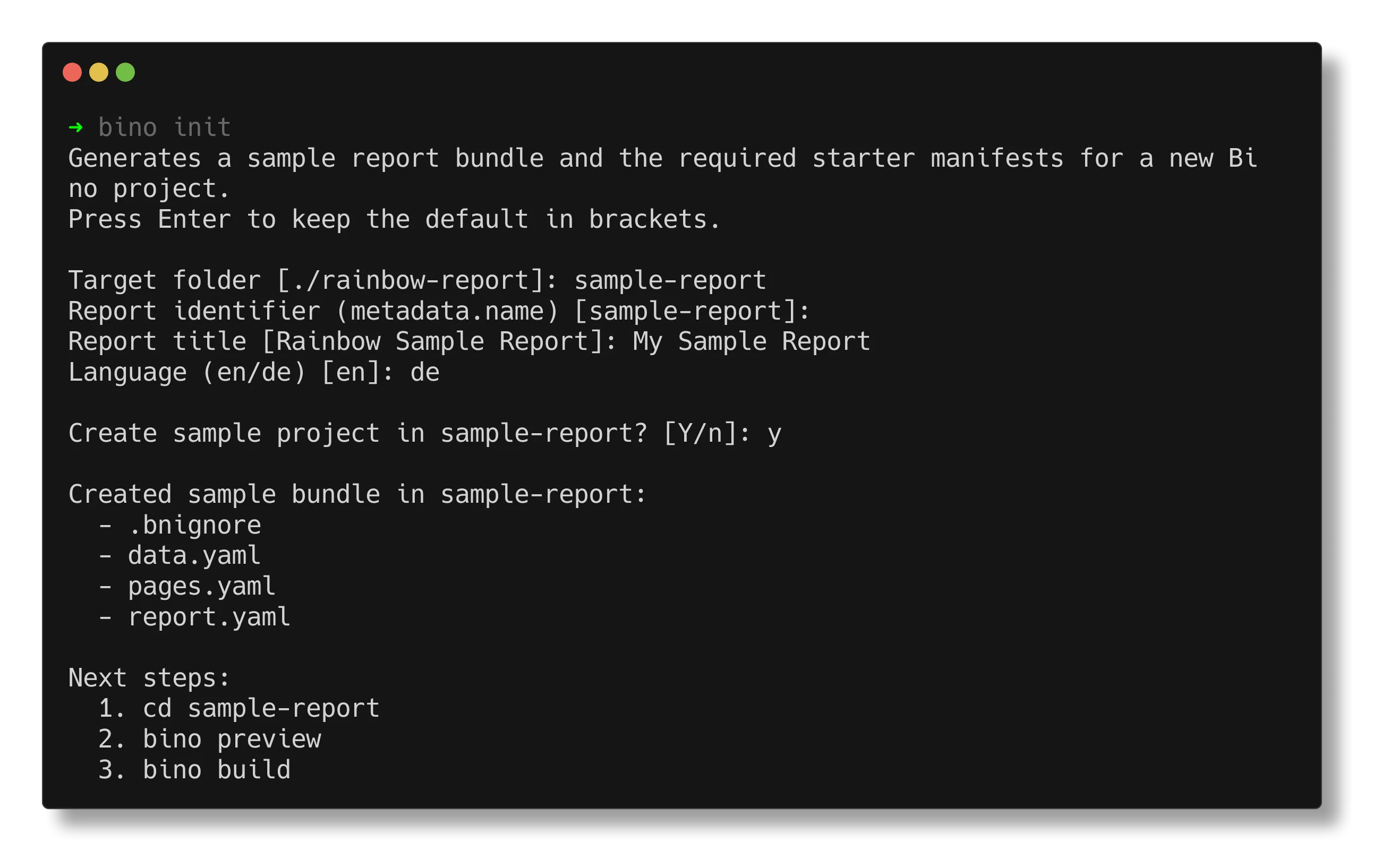
bino init creates a new workdir with sample manifests, data, and configuration.
It is the recommended way to start a new report bundle.
SOURCE is optional. With no source it renders the built-in minimal scaffold;
standard renders the full reference bundle - a CSV datasource, a dataset, an IBCS table,
a chart, a component style, en/de translations and asset declarations, laid out in the
canonical folders. predef scaffolds a predef project:
an ordinary project that also authors a reusable package, with a [package] table in
bino.toml, namespaced manifests and a mocks/ preview harness. A source may also be a
remote template - see Project Templates for the full grammar,
manifest format, and security model.
Common flags:
--directory, -d(alias-o, --output) - target directory (default./rainbow-reportfor built-ins; required for remote templates).--name- internal report name; forpredefthe package name segment (built-in templates).--title- human-readable report title (built-in templates).--language- language code, for exampleen,de(built-in templates).--set key=value- set a template field value; repeatable. Remote/local templates declare their own fields;predefaccepts the[package]fieldsScope,Description,Visibility,Tags(comma-separated) andCategory.-y, --yes- run non-interactively with defaults.--force- overwrite existing files.--offline- never reach the network; require a cached template (alsoBINO_OFFLINE).--trust- skip the confirmation prompt for an uncurated remote source.--json- emit the result (directory, files, template, resolved SHA, folders) as JSON.
Examples
Section titled “Examples”Create a bundle in the current directory interactively:
Scaffold the full standard reference bundle:
Scaffold a predef project that authors a reusable package:
The predef wizard asks for the [package] table instead of the report fields:
registry scope, package name, description, visibility, tags and category. To skip
the wizard, pass them with --set:
Create a bundle non-interactively with explicit title and language:
Scaffold from a remote template, pinned to a tag, supplying fields:
After initialization, continue with Your first report.
The bino.toml Configuration File
Section titled “The bino.toml Configuration File”Every Bino project contains a bino.toml file in its root directory. This file stores the project’s unique identifier and can define default arguments and environment variables for CLI commands.
Structure
Section titled “Structure”Setting Command Defaults
Section titled “Setting Command Defaults”You can define default values for any flag supported by bino build or bino preview. When you run a command, the CLI:
- Reads the defaults from
bino.toml - Applies any explicit command-line flags (which override the TOML values)
- Logs an info message when a TOML value is overridden
Build Defaults
Section titled “Build Defaults”Configure defaults for bino build in the [build.args] section:
Preview Defaults
Section titled “Preview Defaults”Configure defaults for bino preview in the [preview.args] section:
Setting Environment Variables
Section titled “Setting Environment Variables”You can define environment variables for each command using [build.env] and [preview.env] sections. This is useful for setting runtime configuration like query limits or database connection strings.
Build Environment
Section titled “Build Environment”Preview Environment
Section titled “Preview Environment”Override Priority
Section titled “Override Priority”The configuration follows a clear priority order (highest to lowest):
- Actual environment variables - System or shell environment variables always take precedence
- TOML environment values - Values from
[build.env]or[preview.env] - Default values - Built-in defaults
For command-line flags:
- Explicit CLI flags - Flags passed on the command line
- TOML args values - Values from
[build.args]or[preview.args] - Default values - Built-in defaults
Override Messages
Section titled “Override Messages”The CLI informs you when values are overridden:
When a CLI flag overrides a TOML arg:
When an environment variable overrides a TOML env value:
This makes it easy to use project-wide defaults while still allowing one-off overrides for specific runs or CI environments.