LayoutPage
LayoutPage manifests describe full pages of a report.
They control headers, date and measure metadata, page size/orientation, and child components.
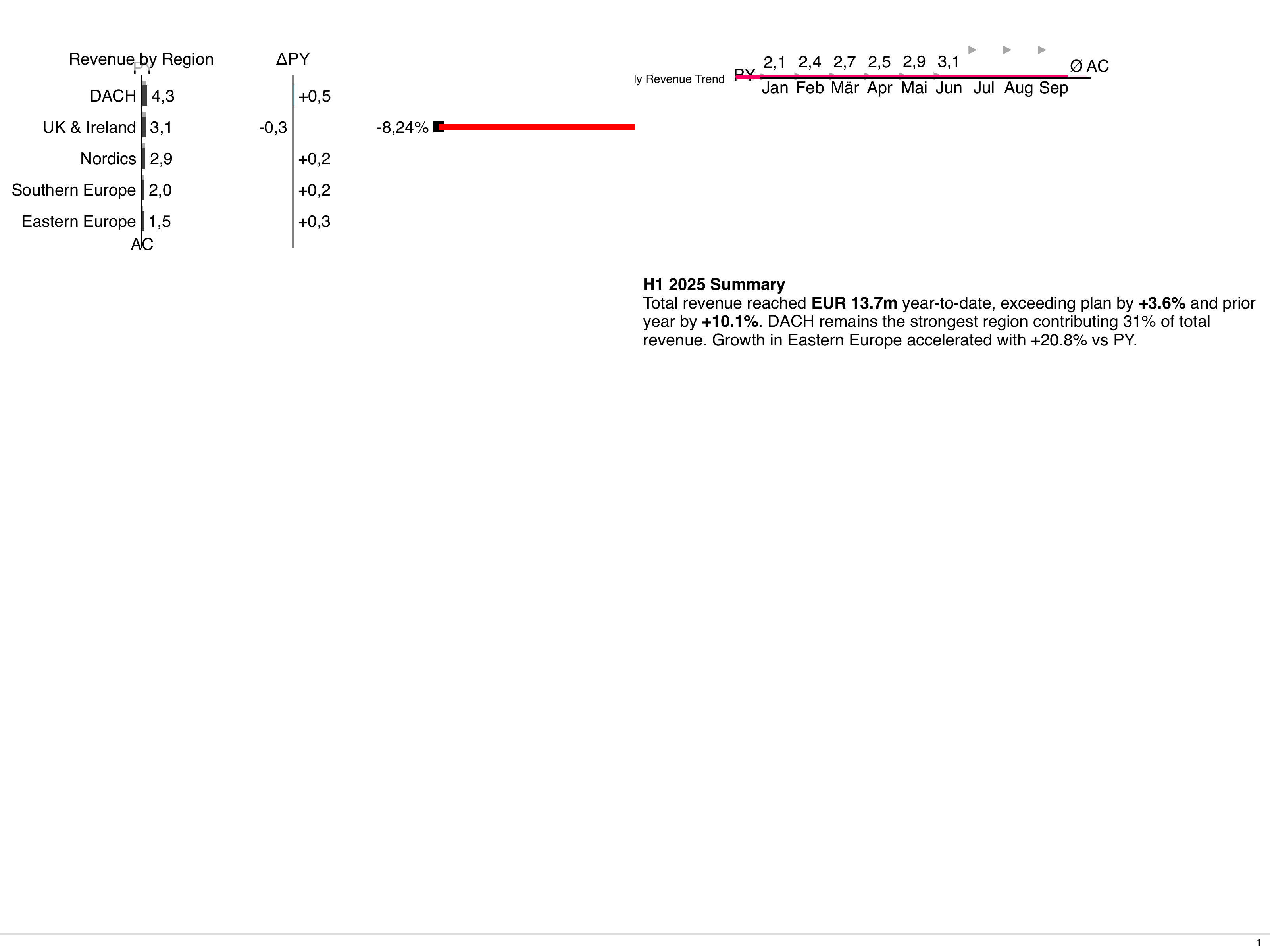
Minimal definition
Section titled “Minimal definition”The schema requires nothing but the document envelope, so the smallest useful
LayoutPage is driven by what the page actually renders: a title row that says who,
what and when, a layout with as many slots as children, and the children themselves.
All attributes are listed in the Attribute Reference below.
Children can also be pulled in by name instead of being inlined, see Referencing standalone components, and the page can be reused with different values, see LayoutPage Parameters.
Key fields (see JSON schema for full list):
- Title row fields:
titleBusinessUnit,i18nNamespace(titleNamespaceis deprecated),titleDateStart,titleDateEnd,titleDateFormat,titleDateLink,titleMeasures,titleScenarios,titleVariances,titleOrder,titleOrderDirection. The date fields accept both date (2024-01-01) and datetime (2024-01-01T14:30:00Z) values. - Page frame fields:
pageLayout,pageCustomTemplate,pageGridGap,pageFormat,pageOrientation,pageFitToContent,pageNumber,footerDisplayPageNumber,footerText. - Message row:
messageImage,messageText. - Styling:
selectedStyle- optional name of aComponentStyleto apply to the page frame; merged over the_systemand_defaultstyles. Requires a template engine release that forwardsselected-styleto the inner page element. Inline children acceptselectedStylein theirspecas well. - IBCS rules:
ruleset- optional name of aRuleSetapplied to the page title; child components inherit it viaruleset: inherited-pageorruleset: inherited-closest. - Content:
children- array oflayoutChildobjects. May be empty or omitted while scaffolding; thepage-layout-slots-usedlint rule warns when a page referenced by an artefact does not fill its layout slots.
Formatting the message and the business unit
Section titled “Formatting the message and the business unit”messageText and titleBusinessUnit accept inline Markdown and inline HTML. The value is converted
to HTML at build time and sanitized by the template engine before it is rendered - only safe tags
(<b>, <i>, <strong>, <em>, <br>, <a>, …) survive; event handlers and javascript: URLs
are stripped.
Use <br /> for an explicit line break. A plain newline in the YAML does not break the line -
it is a soft break and collapses to a space, exactly like in a Text component:
Only inline Markdown is interpreted - bold, italic, code spans, links, strikethrough. Block Markdown
is deliberately not interpreted, so ordinary values keep their literal meaning: 1. Quartal 2024
stays a plain string instead of turning into a numbered list, and # 1 Vertrieb does not become a
heading. For block content (headings, lists, tables) use a Text component.
Images from Asset manifests can be embedded with the asset: URL scheme
(), though the message row has a dedicated messageImage field for its logo.
The other title fields (titleMeasures, titleScenarios, …) and footerText are plain text.
Page layouts
Section titled “Page layouts”pageLayout controls how components are arranged. The enum includes:
fullsplit-horizontal,split-vertical2x2,3x3,4x41-over-2,1-over-3,2-over-1,3-over-1custom-template
For custom-template, set pageCustomTemplate to a CSS grid-template-areas string, for example:
Minimal full-page example
Section titled “Minimal full-page example”Later you can add more components or convert parts of the page into LayoutCard children.
Referencing standalone components
Section titled “Referencing standalone components”Instead of inlining the full spec for each child, you can reference standalone document manifests by name using the ref field. This enables component reuse across multiple pages and cleaner separation of concerns.
Basic reference
Section titled “Basic reference”Reference with overrides
Section titled “Reference with overrides”You can override specific fields from the referenced document by providing a partial spec. The override is deep-merged with the base spec (objects merge recursively, arrays replace entirely).
Reference with params
Section titled “Reference with params”Referenced documents can declare parameters in metadata.params (same structure as LayoutPage parameters) and use ${NAME} placeholders in their spec. Pass values with the params field - explicit values beat declared defaults, which beat an environment variable of the same name. select params expose ${NAME_LABEL}.
params is only valid together with ref. Inline spec overrides are merged after the params are expanded. Grid children and tree nodes accept params the same way.
Supported reference targets
Section titled “Supported reference targets”You can reference documents of these kinds:
TextTableChartStructureChartTimeChartScatterChartBubbleChartBulletTreeGridLayoutCardImage
Note: LayoutPage cannot be referenced. Each page must be a root document.
Missing references
Section titled “Missing references”By default, if a referenced document doesn’t exist, the build fails with an error. This fail-fast behavior helps catch typos, missing files, and broken references early.
Constraint-filtered refs are handled differently: if a referenced document exists but was filtered out by constraints for the current artefact, the child is silently skipped. This allows constraint-based filtering to work naturally with referenced components.
Optional references
Section titled “Optional references”For references that may legitimately be missing (e.g., debug-only components, environment-specific features), use the optional field:
When optional: true and the ref is missing, the child is skipped with an info log instead of failing the build.
When to use optional: true:
- Preview/debug-only components (filtered by mode constraints)
- Environment-specific features (filtered by env labels)
- Format-specific components (may not exist for all output formats)
Do not use optional: true to work around typos or missing files. Always fix the actual issue instead.
Inline child constraints
Section titled “Inline child constraints”Inline children can have metadata.constraints to conditionally include them based on the target artefact’s context. This allows different components to appear for different artefacts, modes, or environments.
Basic syntax
Section titled “Basic syntax”Constraints support two formats: string (concise) and structured (IDE-friendly).
Operators
Section titled “Operators”| Operator | Description | String Example | Structured Example |
|---|---|---|---|
== |
Equals | labels.env==prod |
{field: "labels.env", operator: "==", value: "prod"} |
!= |
Not equals | mode!=preview |
{field: "mode", operator: "!=", value: "preview"} |
in |
Value in array | labels.env in [dev,qa] |
{field: "labels.env", operator: "in", value: ["dev", "qa"]} |
not-in |
Value not in array | mode not-in [serve] |
{field: "mode", operator: "not-in", value: ["serve"]} |
Field reference
Section titled “Field reference”| Field Path | Description | Example Values |
|---|---|---|
mode |
Current execution mode | build, preview, serve |
labels.<key> |
Artefact’s metadata.labels.<key> |
Any string value |
spec.<field> |
Artefact’s spec.<field> |
Format, orientation, etc. |
Example: Mode-specific children
Section titled “Example: Mode-specific children”For comprehensive constraint documentation, see Constraints and Scoped Names.
LayoutPage Parameters
Section titled “LayoutPage Parameters”LayoutPages can define typed parameters that allow the same page to be reused with different values. This is useful for creating templates that can be instantiated multiple times with different data, such as regional reports, time-period comparisons, or any scenario where you want to render the same layout with different configurations.
Defining Parameters
Section titled “Defining Parameters”Parameters are defined in metadata.params. Each parameter has a name, type, and optional validation rules.
Parameter Types
Section titled “Parameter Types”| Type | Description | Options |
|---|---|---|
string |
Free-form text value | None |
number |
Numeric value | min, max |
boolean |
True/false value | None |
select |
Choice from predefined options | items array with value and label |
date |
Date value (YYYY-MM-DD) | None |
date_time |
Date and time value (YYYY-MM-DDTHH:MM, seconds optional, or RFC 3339) |
None |
Parameter Fields
Section titled “Parameter Fields”| Field | Required | Description |
|---|---|---|
name |
Yes | Parameter name (used as ${NAME} in the spec) |
type |
No | Parameter type, defaults to string |
description |
No | Human-readable description |
default |
No | Default value if not provided |
required |
No | If true, the parameter must be provided |
options |
No | Type-specific options (see below) |
Options by Type
Section titled “Options by Type”For select type:
For number type:
Using Parameters in Spec
Section titled “Using Parameters in Spec”Parameters are referenced using ${PARAM_NAME} syntax anywhere in the LayoutPage spec. They work just like environment variables but are resolved when the page is instantiated.
Default Values
Section titled “Default Values”Parameters can have default values that are used when no value is provided:
Using Parameters in ReportArtefact
Section titled “Using Parameters in ReportArtefact”To use a parameterized LayoutPage in a ReportArtefact, use the object form with page and params:
This generates a PDF with four pages:
- The cover page (no params)
- Regional sales for Europe
- Regional sales for North America
- Regional sales for Asia Pacific (with detailed breakdown)
Mixing String and Object Forms
Section titled “Mixing String and Object Forms”You can mix string patterns and parameterized objects in the same layoutPages list:
Parameter Validation
Section titled “Parameter Validation”Parameters are validated against their type and options:
If you pass an invalid value (e.g., REGION: "INVALID"), a warning is emitted but the build continues.
A number must be a decimal number within min and max, a date must be YYYY-MM-DD, and a date_time must be YYYY-MM-DDTHH:MM (seconds optional) or RFC 3339. A value that contains ${VAR} is not checked.
If a required parameter is missing and has no default, an error is raised.
Dynamic Parameter Values
Section titled “Dynamic Parameter Values”Parameter values can reference environment variables:
This allows runtime configuration of parameter values.
Example: Comparison Report
Section titled “Example: Comparison Report”Create a report comparing multiple time periods:
Example: Multi-Dimension Report
Section titled “Example: Multi-Dimension Report”Create a report with multiple dimensions (region × product):
Using Parameters with LiveReportArtefact
Section titled “Using Parameters with LiveReportArtefact”Parameters work with LiveReportArtefact routes, allowing interactive reports:
When users visit /regional?REGION=US&YEAR=2023, the page renders with those parameter values.
Best Practices
Section titled “Best Practices”-
Use descriptive parameter names: Use clear, uppercase names like
REGION,YEAR,PRODUCT_LINE. -
Provide defaults: Always provide sensible defaults for non-required parameters.
-
Document parameters: Use the
descriptionfield to explain what each parameter controls. -
Validate with types: Use appropriate types (
number,select,date,date_time) to ensure valid values. -
Keep parameter lists short: If you need many parameters, consider breaking the page into smaller, focused components.
-
Use consistent naming: If the same concept (e.g., region, year) appears in multiple pages, use the same parameter name.
Comparison with Constraints
Section titled “Comparison with Constraints”Parameters and constraints serve different purposes:
| Feature | Parameters | Constraints |
|---|---|---|
| Purpose | Vary content within a page | Include/exclude entire pages |
| Scope | Per-instance values | Per-artefact filtering |
| Use case | Same layout, different data | Different layouts for different contexts |
| Syntax | ${PARAM} in spec |
metadata.constraints |
You can combine both: use constraints to filter which pages are included, and parameters to customize the included pages.
Attribute Reference
Section titled “Attribute Reference”Common Metadata
Section titled “Common Metadata”| Attribute | Type | Required | Default | Description |
|---|---|---|---|---|
apiVersion |
string | yes | - | Must be bino.bi/v1alpha1. |
kind |
string | yes | - | Must be LayoutPage. |
metadata.name |
string | yes | - | Unique identifier. |
metadata.labels |
object | no | - | Key-value pairs for categorization and constraint matching. |
metadata.annotations |
object | no | - | Arbitrary key-value metadata, not used by the system. |
metadata.description |
string | no | - | Free-form description. |
metadata.constraints |
array | no | - | Conditional inclusion rules. See Constraints. |
metadata.params |
array | no | - | Typed parameters for page reuse. See LayoutPage Parameters. |
Spec Attributes - Title Section
Section titled “Spec Attributes - Title Section”| Attribute | Type | Required | Default | Description | Sample |
|---|---|---|---|---|---|
spec.titleBusinessUnit |
string | no | "" |
Business unit name in the title header. Supports inline Markdown and HTML. | titleBusinessUnit: "Sales" |
spec.titleNamespace |
string | no | - | Deprecated: use i18nNamespace. Namespace for title translations only; never applies to children. Setting it raises the titleNamespace Deprecated lint finding. |
titleNamespace: audited |
spec.i18nNamespace |
string | no | - | I18n namespace for the page title and, via inheritance, all children (their own i18nNamespace wins). Takes precedence over titleNamespace. |
i18nNamespace: audited |
spec.titleDateStart |
string | no | - | Start date (ISO 8601 date or datetime). | titleDateStart: 2024-01-01 |
spec.titleDateEnd |
string | no | - | End date (ISO 8601 date or datetime). | titleDateEnd: 2024-03-31 |
spec.titleDateFormat |
string | no | none |
Date display format. Values: year, quarter, month, week, day, time, auto, none. none is a simple datestring with no format |
titleDateFormat: quarter |
spec.titleDateLink |
string | no | none |
Date linking style. Values: avg, interval, cum, start, end, ytd, ytg, mat, none. |
titleDateLink: interval |
spec.titleMeasures |
array or string | no | - | Measures displayed in the title. Array of {name, unit} objects or JSON string. If all units are the same, redundant units are reduced and the names concatenated. If the unit is empty, the row is omitted. |
see below |
spec.titleMeasures[].name |
string | yes | - | Measure name. | name: "Revenue" |
spec.titleMeasures[].unit |
string | yes | - | Measure unit. | unit: "mEUR" |
spec.titleScenarios |
array or string | no | - | Scenarios displayed in the title. Values: ac1-ac4, fc1-fc4, pp1-pp4, pl1-pl4. |
titleScenarios: ["ac1", "fc1", "pp1"] |
spec.titleVariances |
array or string | no | - | Variance definitions. Pattern: d<scenarioB>_<scenarioA>_[pos|neg|neu]. |
titleVariances: ["dpp1_ac1_pos"] |
spec.titleOrder |
string | no | category |
Sort order for title elements. Values: category, categoryindex, rowgroup, rowgroupindex, ac1-ac4, fc1-fc4, pp1-pp4, pl1-pl4. |
titleOrder: ac1 |
spec.titleOrderDirection |
string | no | asc |
Sort direction. Values: asc, desc. |
titleOrderDirection: asc |
Spec Attributes - Page Layout
Section titled “Spec Attributes - Page Layout”| Attribute | Type | Required | Default | Description | Sample |
|---|---|---|---|---|---|
spec.pageLayout |
string | no | full |
Grid layout preset. Values: full, split-horizontal, split-vertical, 2x2, 3x3, 4x4, 1-over-2, 1-over-3, 2-over-1, 3-over-1, custom-template. |
pageLayout: 2x2 |
spec.pageCustomTemplate |
string | no | "a b" "c d" |
CSS grid-template-areas string. Used with pageLayout: custom-template. |
see Page layouts |
spec.pageGridGap |
string | no | "0" |
Gap between grid cells in pixels. | pageGridGap: "8" |
spec.pageFormat |
string | no | xga |
Page size. Values: xga, hd, full-hd, 4k, 4k2k, a4, a3, a2, a1, a0, letter, legal. |
pageFormat: a4 |
spec.pageOrientation |
string | no | derived from pageFormat |
Page orientation. Values: landscape, portrait. |
pageOrientation: landscape |
spec.pageFitToContent |
boolean | no | false |
When true, the page body height shrinks to fit content. When false (default), it stretches to fill the full page height. Use false when the page contains auto-scaling components. |
pageFitToContent: false |
spec.selectedStyle |
string | no | - | Name of a ComponentStyle manifest to apply. Merged over the _system and _default styles. Maps to the selected-style HTML attribute. |
selectedStyle: corporate-style |
spec.ruleset |
string | no | - | Name of a RuleSet manifest applied to the page title and inheritable by children via inherited-page / inherited-closest. Maps to the ruleset HTML attribute. |
ruleset: corporate-rules |
Spec Attributes - Footer and Message
Section titled “Spec Attributes - Footer and Message”| Attribute | Type | Required | Default | Description | Sample |
|---|---|---|---|---|---|
spec.pageNumber |
string | no | - | Page number displayed in the footer. | pageNumber: "1" |
spec.footerDisplayPageNumber |
boolean | no | true |
Show or hide the page number in the footer. | footerDisplayPageNumber: true |
spec.footerText |
string | no | - | Footer text. | footerText: "Internal use only" |
spec.messageImage |
string | no | "" |
URL of the message row’s logo/pictogram. A value that does not start with http is looked up in the component’s asset folder. If empty, the image is omitted. |
messageImage: "debug/concordia.png" |
spec.messageText |
string | no | "" |
Message text displayed above the title. Supports inline Markdown and HTML. | messageText: "Draft<br />Q3 2026" |
Spec Attributes - Children
Section titled “Spec Attributes - Children”| Attribute | Type | Required | Default | Description | Sample |
|---|---|---|---|---|---|
spec.children |
array | no | - | Array of layout child objects. May be empty or omitted; the page-layout-slots-used lint rule warns when a page referenced by an artefact does not fill its layout slots. |
see Referencing standalone components |
spec.children[].kind |
string | yes | - | Component type. Values: Text, Table, ChartStructure, ChartTime, ChartScatter, ChartBubble, ChartBullet, Tree, Grid, LayoutCard, Image. Must match the kind of the referenced document when ref is used. |
kind: ChartStructure |
spec.children[].spec |
object | no | - | Component specification. Required for inline children (without ref); with ref its fields override the referenced document’s spec. |
spec: { dataset: revenue_by_region } |
spec.children[].ref |
string | no | - | Name (metadata.name) of a standalone document of the same kind used as base spec. LayoutPage cannot be referenced. |
ref: salesTrendChart |
spec.children[].optional |
boolean | no | false |
When true and the ref is missing, the child is skipped gracefully instead of failing the build. |
optional: true |
spec.children[].params |
object | no | - | Parameter values passed to the referenced document, expanded as ${NAME} in its spec. Only valid together with ref. See LayoutPage Parameters. |
params: { REGION: "EU" } |
spec.children[].metadata |
object | no | - | Metadata of the inline child. See Inline child constraints. | see below |
spec.children[].metadata.name |
string | no | - | Name of the inline child, used in error messages and for identification. | name: prodTable |
spec.children[].metadata.description |
string | no | - | Human-readable description of the child. Documentation only; not rendered. | description: "Revenue by region" |
spec.children[].metadata.constraints |
array | no | - | Constraint expressions deciding whether the child is included for a given artefact. String or structured format. See Inline child constraints. | constraints: ["mode==build"] |