LayoutCard
LayoutCard manifests describe card-shaped containers that can host charts, tables, and text.
They are useful for dashboards and reusable widgets.
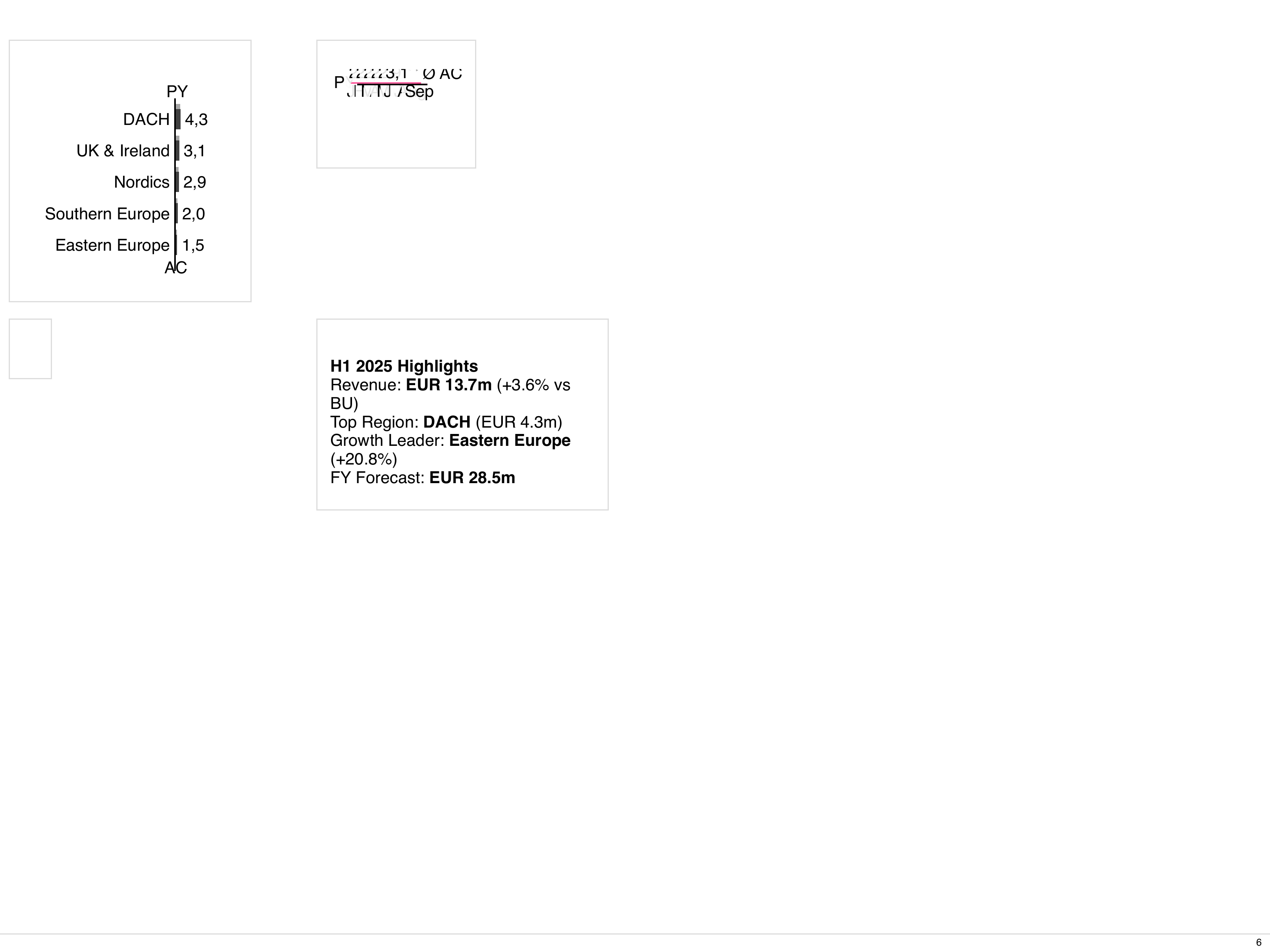
Spec outline
Section titled “Spec outline”apiVersion: bino.bi/v1alpha1
kind: LayoutCard
metadata:
name: revenue_card
spec:
titleImage: "debug/concordia.png"
titleBusinessUnit: "Sales"
titleScenarios: ["ac1", "fc1", "pp1"]
titleVariances: ["dpp1_ac1_pos"]
titleOrder: category
titleOrderDirection: desc
titleMeasures:
- name: "Revenue"
unit: "mEUR"
titleDateStart: 2024-01-01
titleDateEnd: 2024-03-31
titleDateFormat: quarter
titleDateLink: interval
titleNamespace: _system
footerText: "Quarterly revenue overview"
cardLayout: split-horizontal
cardCustomTemplate: '"a b" "c d"'
cardGridGap: "0.5rem"
cardFitToContent: true
cardShowBorder: true
children:
- kind: ChartStructure
spec: { ... }
- kind: Table
spec: { ... }Important fields mirror LayoutPage but are scoped to a card:
- Header:
titleImage,titleBusinessUnit,titleScenarios,titleVariances,titleOrder,titleOrderDirection,titleMeasures,titleDateStart,titleDateEnd,titleDateFormat,titleDateLink,titleNamespace. The date fields accept both date (2024-01-01) and datetime (2024-01-01T14:30:00Z) values. - Footer:
footerText. - Layout:
cardLayout,cardCustomTemplate,cardGridGap,cardFitToContent,cardShowBorder. - Content:
children– required array oflayoutChildobjects.
Card inside a page
Section titled “Card inside a page”---
apiVersion: bino.bi/v1alpha1
kind: LayoutCard
metadata:
name: revenue_card
spec:
titleBusinessUnit: "Sales"
titleMeasures:
- name: "Revenue"
unit: "mEUR"
cardLayout: full
children:
- kind: ChartTime
spec:
dataset: revenue_monthly
chartTitle: "Monthly revenue"
type: line
dateInterval: month
axisLabelsMode: smart
---
apiVersion: bino.bi/v1alpha1
kind: LayoutPage
metadata:
name: dashboard_page
spec:
pageLayout: 2x2
children:
- kind: LayoutCard
spec:
# embed card spec directly or reference by convention
titleBusinessUnit: "Sales"
cardLayout: full
children:
- kind: ChartTime
spec:
dataset: revenue_monthly
chartTitle: "Monthly revenue"
type: lineUse cards to keep layout definitions modular and to reuse card patterns across multiple reports.
Referencing standalone cards
Section titled “Referencing standalone cards”You can define LayoutCard as a standalone document and reference it from a LayoutPage using ref. This enables card reuse across multiple pages.
---
apiVersion: bino.bi/v1alpha1
kind: LayoutCard
metadata:
  name: revenue_card
spec:
  titleBusinessUnit: "Sales"
  cardLayout: full
  children:
    - kind: ChartTime
      spec:
        dataset: revenue_monthly
        chartTitle: "Monthly revenue"
        type: line

---
apiVersion: bino.bi/v1alpha1
kind: LayoutPage
metadata:
  name: dashboard_page
spec:
  pageLayout: 2x2
  children:
    - kind: LayoutCard
      ref: revenue_card
    - kind: LayoutCard
      ref: revenue_card
      spec:
        titleBusinessUnit: "Marketing" # Override the business unit
See the LayoutPage reference for more details on ref syntax and override behavior.
Optional references
Section titled “Optional references”LayoutCard children support the same optional field as LayoutPage children. Use it for references that may legitimately be missing:
children:
  - kind: ChartTime
    ref: mainChart           # Required: fails if missing
  - kind: Text
    ref: debugInfo
    optional: true           # Optional: skips gracefully if missing
See the LayoutPage optional references section for details on when to use this field.
Inline child constraints
Section titled “Inline child constraints”LayoutCard children support metadata.constraints just like LayoutPage. Use constraints to conditionally include components based on the artefact’s context.
apiVersion: bino.bi/v1alpha1
kind: LayoutCard
metadata:
  name: summary_card
spec:
  cardLayout: split-horizontal
  children:
    # Only in production builds
    - kind: Table
      metadata:
        constraints:
          - labels.env==prod
          - mode==build
      spec:
        dataset: production_metrics

    # Only in preview mode (string format)
    - kind: Text
      metadata:
        constraints:
          - mode==preview
      spec:
        value: "Preview placeholder"

    # Using in operator for multiple environments
    - kind: ChartStructure
      metadata:
        constraints:
          - field: labels.env
            operator: in
            value: [staging, prod]
      spec:
        dataset: metrics
For the full constraint syntax and operators, see Inline child constraints and Constraints and Scoped Names.
Attribute Reference
Section titled “Attribute Reference”Common Metadata
Section titled “Common Metadata”| Attribute | Type | Required | Default | Description |
|---|---|---|---|---|
apiVersion | string | yes | — | Must be bino.bi/v1alpha1. |
kind | string | yes | — | Must be LayoutCard. |
metadata.name | string | yes | — | Unique identifier. |
metadata.labels | object | no | — | Key-value pairs for categorization and constraint matching. |
metadata.annotations | object | no | — | Arbitrary key-value metadata, not used by the system. |
metadata.description | string | no | — | Free-form description. |
metadata.constraints | array | no | — | Conditional inclusion rules. See Constraints. |
Spec Attributes — Title Section
Section titled “Spec Attributes — Title Section”| Attribute | Type | Required | Default | Description | Sample |
|---|---|---|---|---|---|
spec.titleImage | string | no | "" | URL or asset name for the card title image. | titleImage: "debug/concordia.png" |
spec.titleBusinessUnit | string | no | "" | Business unit name in the card header. | titleBusinessUnit: "Sales" |
spec.titleScenarios | array or string | no | — | Scenarios displayed in the card header. Values: ac1-ac4, fc1-fc4, pp1-pp4, pl1-pl4. | titleScenarios: ["ac1", "fc1", "pp1"] |
spec.titleVariances | array or string | no | — | Variance definitions. Pattern: d<scenarioB>_<scenarioA>_[pos|neg|neu]. | titleVariances: ["dpp1_ac1_pos"] |
spec.titleOrder | string | no | category | Sort order for title elements. Values: category, categoryindex, rowgroup, rowgroupindex, ac1-ac4, fc1-fc4, pp1-pp4, pl1-pl4. | titleOrder: ac1 |
spec.titleOrderDirection | string | no | asc | Sort direction. Values: asc, desc. | titleOrderDirection: desc |
spec.titleMeasures | array or string | no | — | Measures displayed in the card header. Array of {name, unit} objects or JSON string. | see below |
spec.titleDateStart | string | no | — | Start date (ISO 8601 date or datetime). | titleDateStart: 2024-01-01 |
spec.titleDateEnd | string | no | — | End date (ISO 8601 date or datetime). | titleDateEnd: 2024-03-31 |
spec.titleDateFormat | string | no | none | Date display format. Values: year, quarter, month, week, day, time, auto, none. | titleDateFormat: quarter |
spec.titleDateLink | string | no | none | Date linking style. Values: avg, interval, cum, start, end, ytd, ytg, mat, none. | titleDateLink: interval |
spec.titleNamespace | string | no | "_system" | i18n namespace for the card title. | titleNamespace: _system |
Spec Attributes — Footer
Section titled “Spec Attributes — Footer”| Attribute | Type | Required | Default | Description | Sample |
|---|---|---|---|---|---|
spec.footerText | string | no | "" | Card footer text. | footerText: "Quarterly overview" |
Spec Attributes — Card Layout
Section titled “Spec Attributes — Card Layout”| Attribute | Type | Required | Default | Description | Sample |
|---|---|---|---|---|---|
spec.cardLayout | string | no | full | Grid layout preset. Values: full, split-horizontal, split-vertical, 2x2, 3x3, 4x4, 1-over-2, 1-over-3, 2-over-1, 3-over-1, custom-template. | cardLayout: split-horizontal |
spec.cardCustomTemplate | string | no | "a b" "c d" | CSS grid-template-areas string. Used with cardLayout: custom-template. | cardCustomTemplate: '"a b" "c d"' |
spec.cardGridGap | string | no | "0" | Gap between grid cells. | cardGridGap: "0.5rem" |
spec.cardFitToContent | boolean | no | true | Shrink to content height or stretch to fill available height. | cardFitToContent: true |
spec.cardShowBorder | boolean | no | true | Display a border around the card. | cardShowBorder: true |
Spec Attributes — Children
Section titled “Spec Attributes — Children”| Attribute | Type | Required | Default | Description | Sample |
|---|---|---|---|---|---|
spec.children | array | yes | — | Array of layout child objects (minimum 1). Each child specifies a kind, optional ref, optional spec, and optional metadata with constraints. | see Card inside a page |
Title measures
Section titled “Title measures”spec:
titleMeasures:
- name: "Revenue"
unit: "mEUR"