LayoutPage
LayoutPage manifests describe full pages of a report.
They control headers, date and measure metadata, page size/orientation, and child components.
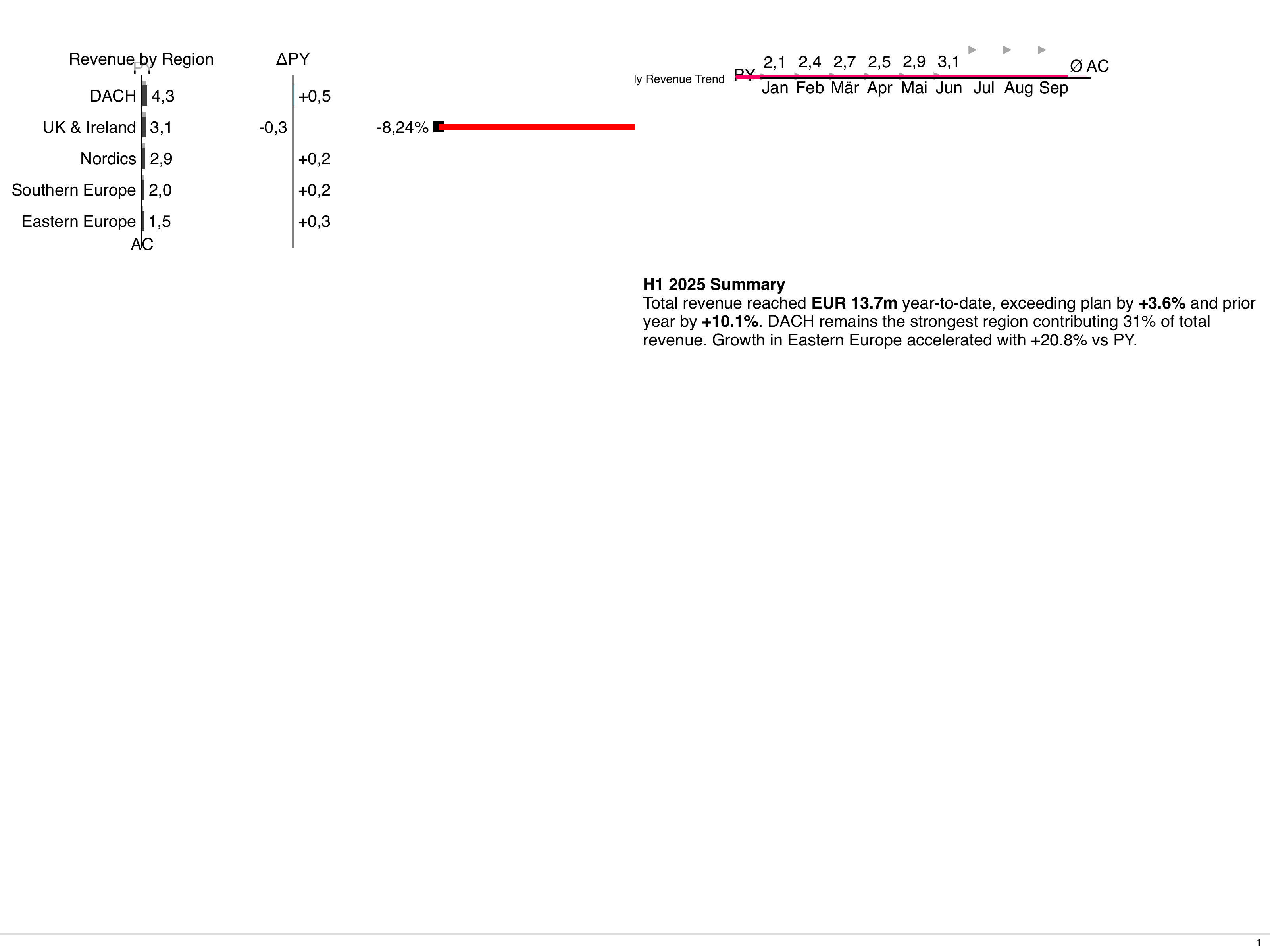
Spec outline
Section titled “Spec outline”apiVersion: bino.bi/v1alpha1
kind: LayoutPage
metadata:
name: sales_overview_page
spec:
titleBusinessUnit: "Sales"
titleNamespace: _system
titleDateStart: 2024-01-01
titleDateEnd: 2024-03-31
titleDateFormat: quarter
titleDateLink: interval
titleMeasures: []
titleScenarios: ["ac1", "fc1", "pp1"]
titleVariances: ["dpp1_ac1_pos"]
titleOrder: category
titleOrderDirection: asc
pageLayout: 2x2
pageFormat: a4
pageOrientation: landscape
footerDisplayPageNumber: true
footerText: "Internal use only"
messageImage: "debug/concordia.png"
messageText: "Placeholder message"
children:
- kind: ChartStructure
spec: { ... }
- kind: Table
spec: { ... }Key fields (see JSON schema for full list):
- Title row fields:
titleBusinessUnit,titleNamespace,titleDateStart,titleDateEnd,titleDateFormat,titleDateLink,titleMeasures,titleScenarios,titleVariances,titleOrder,titleOrderDirection. The date fields accept both date (2024-01-01) and datetime (2024-01-01T14:30:00Z) values. - Page frame fields:
pageLayout,pageCustomTemplate,pageGridGap,pageFormat,pageOrientation,pageFitToContent,pageNumber,footerDisplayPageNumber,footerText. - Message row:
messageImage,messageText. - Content:
children– required array oflayoutChildobjects.
Page layouts
Section titled “Page layouts”pageLayout controls how components are arranged. The enum includes:
fullsplit-horizontal,split-vertical2x2,3x3,4x41-over-2,1-over-3,2-over-1,3-over-1custom-template
For custom-template, set pageCustomTemplate to a CSS grid-template-areas string, for example:
pageLayout: custom-template
pageCustomTemplate: |
  "a a" \
  "b c"
Minimal full-page example
Section titled “Minimal full-page example”---
apiVersion: bino.bi/v1alpha1
kind: LayoutPage
metadata:
name: kpi_dashboard
spec:
titleBusinessUnit: "Group Controlling"
titleNamespace: _system
titleDateStart: 2024-01-01
titleDateEnd: 2024-12-31
titleDateFormat: year
titleDateLink: none
titleMeasures:
- name: "Revenue"
unit: "mEUR"
titleScenarios: ["ac1", "fc1", "pp1"]
pageLayout: 2x2
pageFormat: a4
pageOrientation: landscape
footerDisplayPageNumber: true
footerText: "bino – internal preview"
children:
- kind: ChartStructure
spec:
dataset: revenue_by_region
chartTitle: "Revenue by region"
level: category
scenarios: ["ac1", "py1"]
variances: ["dpy1_ac1_pos"]
- kind: Table
spec:
dataset: revenue_by_customer
tableTitle: "Top customers"
type: list
limit: 10Later you can add more components or convert parts of the page into LayoutCard children.
Referencing standalone components
Section titled “Referencing standalone components”Instead of inlining the full spec for each child, you can reference standalone document manifests by name using the ref field. This enables component reuse across multiple pages and cleaner separation of concerns.
Basic reference
Section titled “Basic reference”# Define a reusable chart as a standalone document
---
apiVersion: bino.bi/v1alpha1
kind: ChartTime
metadata:
name: salesTrendChart
spec:
dataset: monthly_sales
chartTitle: "Monthly Sales Trend"
dateInterval: month
level: category
---
# Reference it in a LayoutPage
apiVersion: bino.bi/v1alpha1
kind: LayoutPage
metadata:
name: dashboard
spec:
pageLayout: 2x2
children:
- kind: ChartTime
ref: salesTrendChartReference with overrides
Section titled “Reference with overrides”You can override specific fields from the referenced document by providing a partial spec. The override is deep-merged with the base spec (objects merge recursively, arrays replace entirely).
children:
  - kind: ChartTime
    ref: salesTrendChart
    spec:
      chartTitle: "Q4 Sales Trend" # Override just the title
      dateInterval: quarter # Override the interval
Supported reference targets
Section titled “Supported reference targets”You can reference documents of these kinds:
TextTableChartStructureChartTimeLayoutCardImage
Note: LayoutPage cannot be referenced. Each page must be a root document.
Missing references
Section titled “Missing references”By default, if a referenced document doesn’t exist, the build fails with an error. This fail-fast behavior helps catch typos, missing files, and broken references early.
Error: required reference "revenue_chart" of kind "ChartTime" not foundConstraint-filtered refs are handled differently: if a referenced document exists but was filtered out by constraints for the current artefact, the child is silently skipped. This allows constraint-based filtering to work naturally with referenced components.
Optional references
Section titled “Optional references”For references that may legitimately be missing (e.g., debug-only components, environment-specific features), use the optional field:
children:
  - kind: ChartTime
    ref: salesTrendChart      # Required: fails if missing
  - kind: Text
    ref: debugPanel
    optional: true            # Optional: skips gracefully if missing
When optional: true and the ref is missing, the child is skipped with an info log instead of failing the build.
When to use optional: true:
- Preview/debug-only components (filtered by mode constraints)
- Environment-specific features (filtered by env labels)
- Format-specific components (may not exist for all output formats)
Do not use optional: true to work around typos or missing files. Always fix the actual issue instead.
Inline child constraints
Section titled “Inline child constraints”Inline children can have metadata.constraints to conditionally include them based on the target artefact’s context. This allows different components to appear for different artefacts, modes, or environments.
Basic syntax
Section titled “Basic syntax”Constraints support two formats: string (concise) and structured (IDE-friendly).
apiVersion: bino.bi/v1alpha1
kind: LayoutPage
metadata:
  name: dashboard
spec:
  pageLayout: 2x2
  children:
    # String format - quick and readable
    - kind: Table
      metadata:
        name: prodTable
        constraints:
          - mode==build
          - labels.env==prod
      spec:
        dataset: production_data

    # Structured format - better IDE support
    - kind: Text
      metadata:
        name: debugInfo
        constraints:
          - field: mode
            operator: "=="
            value: preview
      spec:
        value: "Debug information - only visible in preview"

    # No constraints - always included
    - kind: ChartStructure
      spec:
        dataset: summary_data
Operators
Section titled “Operators”| Operator | Description | String Example | Structured Example |
|---|---|---|---|
== | Equals | labels.env==prod | {field: "labels.env", operator: "==", value: "prod"} |
!= | Not equals | mode!=preview | {field: "mode", operator: "!=", value: "preview"} |
in | Value in array | labels.env in [dev,qa] | {field: "labels.env", operator: "in", value: ["dev", "qa"]} |
not-in | Value not in array | mode not-in [serve] | {field: "mode", operator: "not-in", value: ["serve"]} |
Field reference
Section titled “Field reference”| Field Path | Description | Example Values |
|---|---|---|
mode | Current execution mode | build, preview, serve |
labels.<key> | Artefact’s metadata.labels.<key> | Any string value |
spec.<field> | Artefact’s spec.<field> | Format, orientation, etc. |
Example: Mode-specific children
Section titled “Example: Mode-specific children”spec:
pageLayout: split-vertical
children:
# Only in build mode
- kind: Table
metadata:
constraints:
- mode==build
spec:
dataset: final_data
# Only in preview mode
- kind: Text
metadata:
constraints:
- mode==preview
spec:
value: "Preview placeholder - data will appear in build"For comprehensive constraint documentation, see Constraints and Scoped Names.
LayoutPage Parameters
Section titled “LayoutPage Parameters”LayoutPages can define typed parameters that allow the same page to be reused with different values. This is useful for creating templates that can be instantiated multiple times with different data, such as regional reports, time-period comparisons, or any scenario where you want to render the same layout with different configurations.
Defining Parameters
Section titled “Defining Parameters”Parameters are defined in metadata.params. Each parameter has a name, type, and optional validation rules.
apiVersion: bino.bi/v1alpha1
kind: LayoutPage
metadata:
  name: regional-sales
  params:
    - name: REGION
      type: select
      description: "Region to display"
      required: true
      options:
        items:
          - value: "EU"
            label: "Europe"
          - value: "US"
            label: "North America"
          - value: "APAC"
            label: "Asia Pacific"
    - name: YEAR
      type: number
      description: "Reporting year"
      default: "2024"
      options:
        min: 2020
        max: 2030
    - name: SHOW_DETAILS
      type: boolean
      description: "Show detailed breakdown"
      default: "false"
spec:
  titleBusinessUnit: "Sales Report - ${REGION}"
  pageLayout: split-vertical
  children:
    - kind: Text
      metadata:
        name: region-header
      spec:
        value: "Region: ${REGION} | Year: ${YEAR}"
        style:
          fontSize: 24
          fontWeight: bold
    - kind: Table
      metadata:
        name: regional-table
      spec:
        dataset: sales-data
Parameter Types
Section titled “Parameter Types”| Type | Description | Options |
|---|---|---|
string | Free-form text value | None |
number | Numeric value | min, max |
boolean | True/false value | None |
select | Choice from predefined options | items array with value and label |
date | Date value (YYYY-MM-DD) | None |
date_time | Date and time value (ISO 8601) | None |
Parameter Fields
Section titled “Parameter Fields”| Field | Required | Description |
|---|---|---|
name | Yes | Parameter name (used as ${NAME} in the spec) |
type | No | Parameter type, defaults to string |
description | No | Human-readable description |
default | No | Default value if not provided |
required | No | If true, the parameter must be provided |
options | No | Type-specific options (see below) |
Options by Type
Section titled “Options by Type”For select type:
options:
  items:
    - value: "EU"
      label: "Europe"
    - value: "US"
      label: "North America"
For number type:
options:
  min: 2020
  max: 2030
Using Parameters in Spec
Section titled “Using Parameters in Spec”Parameters are referenced using ${PARAM_NAME} syntax anywhere in the LayoutPage spec. They work just like environment variables but are resolved when the page is instantiated.
spec:
  titleBusinessUnit: "Report for ${REGION}"
  children:
    - kind: Text
      spec:
        value: "Year: ${YEAR}, Region: ${REGION}"
    - kind: Table
      spec:
        dataset: sales-by-region
        # Parameters can be used in any string field
        tableTitle: "${REGION} Sales Data"
Default Values
Section titled “Default Values”Parameters can have default values that are used when no value is provided:
params:
  - name: YEAR
    type: number
    default: "2024"
  - name: CURRENCY
    type: string
    default: "EUR"
Using Parameters in ReportArtefact
Section titled “Using Parameters in ReportArtefact”To use a parameterized LayoutPage in a ReportArtefact, use the object form with page and params:
apiVersion: bino.bi/v1alpha1
kind: ReportArtefact
metadata:
  name: multi-region-report
spec:
  format: xga
  orientation: landscape
  layoutPages:
    # String form - no params
    - cover-page

    # Object form - with params
    - page: regional-sales
      params:
        REGION: EU
        YEAR: "2024"

    # Same page with different params
    - page: regional-sales
      params:
        REGION: US
        YEAR: "2024"

    - page: regional-sales
      params:
        REGION: APAC
        YEAR: "2024"
        SHOW_DETAILS: "true"

  filename: multi-region-report.pdf
  title: "Multi-Region Sales Report"
This generates a PDF with four pages:
- The cover page (no params)
- Regional sales for Europe
- Regional sales for North America
- Regional sales for Asia Pacific (with detailed breakdown)
Mixing String and Object Forms
Section titled “Mixing String and Object Forms”You can mix string patterns and parameterized objects in the same layoutPages list:
layoutPages:
  - cover                          # String: exact match
  - intro-*                        # String: glob pattern
  - page: regional-sales           # Object: with params
    params:
      REGION: EU
- appendix-* # String: glob patternParameter Validation
Section titled “Parameter Validation”Parameters are validated against their type and options:
params:
  - name: REGION
    type: select
    required: true
    options:
      items:
        - value: "EU"
        - value: "US"
        - value: "APAC"
If you pass an invalid value (e.g., REGION: "INVALID"), a warning is emitted but the build continues.
If a required parameter is missing and has no default, an error is raised.
Dynamic Parameter Values
Section titled “Dynamic Parameter Values”Parameter values can reference environment variables:
layoutPages:
  - page: regional-sales
    params:
      REGION: ${DEFAULT_REGION}      # From environment
      YEAR: ${REPORT_YEAR:2024}      # With fallback default
This allows runtime configuration of parameter values.
Example: Comparison Report
Section titled “Example: Comparison Report”Create a report comparing multiple time periods:
# Define a reusable period comparison page
---
apiVersion: bino.bi/v1alpha1
kind: LayoutPage
metadata:
  name: period-comparison
  params:
    - name: PERIOD_START
      type: date
      required: true
    - name: PERIOD_END
      type: date
      required: true
    - name: PERIOD_LABEL
      type: string
      required: true
spec:
  titleBusinessUnit: "${PERIOD_LABEL}"
  pageLayout: split-vertical
  children:
    - kind: Text
      spec:
        value: "${PERIOD_LABEL}: ${PERIOD_START} to ${PERIOD_END}"
    - kind: Table
      spec:
        dataset: sales-data
        tableTitle: "Sales for ${PERIOD_LABEL}"

---
# Use it multiple times in a report
apiVersion: bino.bi/v1alpha1
kind: ReportArtefact
metadata:
  name: quarterly-comparison
spec:
  format: xga
  layoutPages:
    - page: period-comparison
      params:
        PERIOD_LABEL: "Q1 2024"
        PERIOD_START: "2024-01-01"
        PERIOD_END: "2024-03-31"
    - page: period-comparison
      params:
        PERIOD_LABEL: "Q2 2024"
        PERIOD_START: "2024-04-01"
        PERIOD_END: "2024-06-30"
    - page: period-comparison
      params:
        PERIOD_LABEL: "Q3 2024"
        PERIOD_START: "2024-07-01"
        PERIOD_END: "2024-09-30"
    - page: period-comparison
      params:
        PERIOD_LABEL: "Q4 2024"
        PERIOD_START: "2024-10-01"
        PERIOD_END: "2024-12-31"
  filename: quarterly-comparison.pdf
  title: "2024 Quarterly Comparison"
Example: Multi-Dimension Report
Section titled “Example: Multi-Dimension Report”Create a report with multiple dimensions (region × product):
---
apiVersion: bino.bi/v1alpha1
kind: LayoutPage
metadata:
  name: dimension-analysis
  params:
    - name: REGION
      type: select
      options:
        items:
          - value: "EU"
          - value: "US"
    - name: PRODUCT
      type: select
      options:
        items:
          - value: "Widget"
          - value: "Gadget"
spec:
  titleBusinessUnit: "${REGION} - ${PRODUCT}"
  pageLayout: 2x2
  children:
    - kind: ChartStructure
      spec:
        dataset: sales-data
        chartTitle: "${PRODUCT} Sales in ${REGION}"
    - kind: Table
      spec:
        dataset: sales-data
        tableTitle: "Details"

---
apiVersion: bino.bi/v1alpha1
kind: ReportArtefact
metadata:
  name: dimension-report
spec:
  layoutPages:
    # EU pages
    - page: dimension-analysis
      params:
        REGION: EU
        PRODUCT: Widget
    - page: dimension-analysis
      params:
        REGION: EU
        PRODUCT: Gadget
    # US pages
    - page: dimension-analysis
      params:
        REGION: US
        PRODUCT: Widget
    - page: dimension-analysis
      params:
        REGION: US
        PRODUCT: Gadget
  filename: dimension-report.pdf
  title: "Cross-Dimension Analysis"
Using Parameters with LiveReportArtefact
Section titled “Using Parameters with LiveReportArtefact”Parameters work with LiveReportArtefact routes, allowing interactive reports:
apiVersion: bino.bi/v1alpha1
kind: LiveReportArtefact
metadata:
  name: interactive-dashboard
spec:
  title: "Sales Dashboard"
  routes:
    "/regional":
      layoutPages:
        - page: regional-sales
          params:
            REGION: ${REGION}     # From query params
            YEAR: ${YEAR}
      queryParams:
        - name: REGION
          type: select
          default: "EU"
          options:
            items:
              - value: "EU"
                label: "Europe"
              - value: "US"
                label: "North America"
        - name: YEAR
          type: number
          default: "2024"
          options:
            min: 2020
            max: 2030
When users visit /regional?REGION=US&YEAR=2023, the page renders with those parameter values.
Best Practices
Section titled “Best Practices”-
Use descriptive parameter names: Use clear, uppercase names like
REGION,YEAR,PRODUCT_LINE. -
Provide defaults: Always provide sensible defaults for non-required parameters.
-
Document parameters: Use the
descriptionfield to explain what each parameter controls. -
Validate with types: Use appropriate types (
number,select,date,date_time) to ensure valid values. -
Keep parameter lists short: If you need many parameters, consider breaking the page into smaller, focused components.
-
Use consistent naming: If the same concept (e.g., region, year) appears in multiple pages, use the same parameter name.
Comparison with Constraints
Section titled “Comparison with Constraints”Parameters and constraints serve different purposes:
| Feature | Parameters | Constraints |
|---|---|---|
| Purpose | Vary content within a page | Include/exclude entire pages |
| Scope | Per-instance values | Per-artefact filtering |
| Use case | Same layout, different data | Different layouts for different contexts |
| Syntax | ${PARAM} in spec | metadata.constraints |
You can combine both: use constraints to filter which pages are included, and parameters to customize the included pages.
Attribute Reference
Section titled “Attribute Reference”Common Metadata
Section titled “Common Metadata”| Attribute | Type | Required | Default | Description |
|---|---|---|---|---|
apiVersion | string | yes | — | Must be bino.bi/v1alpha1. |
kind | string | yes | — | Must be LayoutPage. |
metadata.name | string | yes | — | Unique identifier. |
metadata.labels | object | no | — | Key-value pairs for categorization and constraint matching. |
metadata.annotations | object | no | — | Arbitrary key-value metadata, not used by the system. |
metadata.description | string | no | — | Free-form description. |
metadata.constraints | array | no | — | Conditional inclusion rules. See Constraints. |
metadata.params | array | no | — | Typed parameters for page reuse. See LayoutPage Parameters. |
Spec Attributes — Title Section
Section titled “Spec Attributes — Title Section”| Attribute | Type | Required | Default | Description | Sample |
|---|---|---|---|---|---|
spec.titleBusinessUnit | string | no | "" | Business unit name in the title header. | titleBusinessUnit: "Sales" |
spec.titleNamespace | string | no | "_system" | i18n namespace for the title. | titleNamespace: _system |
spec.titleDateStart | string | no | — | Start date (ISO 8601 date or datetime). | titleDateStart: 2024-01-01 |
spec.titleDateEnd | string | no | — | End date (ISO 8601 date or datetime). | titleDateEnd: 2024-03-31 |
spec.titleDateFormat | string | no | none | Date display format. Values: year, quarter, month, week, day, time, auto, none. | titleDateFormat: quarter |
spec.titleDateLink | string | no | none | Date linking style. Values: avg, interval, cum, start, end, ytd, ytg, mat, none. | titleDateLink: interval |
spec.titleMeasures | array or string | no | — | Measures displayed in the title. Array of {name, unit} objects or JSON string. | see below |
spec.titleScenarios | array or string | no | — | Scenarios displayed in the title. Values: ac1-ac4, fc1-fc4, pp1-pp4, pl1-pl4. | titleScenarios: ["ac1", "fc1", "pp1"] |
spec.titleVariances | array or string | no | — | Variance definitions. Pattern: d<scenarioB>_<scenarioA>_[pos|neg|neu]. | titleVariances: ["dpp1_ac1_pos"] |
spec.titleOrder | string | no | category | Sort order for title elements. Values: category, categoryindex, rowgroup, rowgroupindex, ac1-ac4, fc1-fc4, pp1-pp4, pl1-pl4. | titleOrder: ac1 |
spec.titleOrderDirection | string | no | asc | Sort direction. Values: asc, desc. | titleOrderDirection: asc |
Spec Attributes — Page Layout
Section titled “Spec Attributes — Page Layout”| Attribute | Type | Required | Default | Description | Sample |
|---|---|---|---|---|---|
spec.pageLayout | string | no | full | Grid layout preset. Values: full, split-horizontal, split-vertical, 2x2, 3x3, 4x4, 1-over-2, 1-over-3, 2-over-1, 3-over-1, custom-template. | pageLayout: 2x2 |
spec.pageCustomTemplate | string | no | "a b" "c d" | CSS grid-template-areas string. Used with pageLayout: custom-template. | see Page layouts |
spec.pageGridGap | string | no | "0" | Gap between grid cells in pixels. | pageGridGap: "8" |
spec.pageFormat | string | no | xga | Page size. Values: xga, hd, full-hd, 4k, 4k2k, a4, a3, a2, a1, a0, letter, legal. | pageFormat: a4 |
spec.pageOrientation | string | no | — | Page orientation. Values: landscape, portrait. | pageOrientation: landscape |
spec.pageFitToContent | boolean | no | true | Shrink to content height or stretch to fill available height. | pageFitToContent: true |
Spec Attributes — Footer and Message
Section titled “Spec Attributes — Footer and Message”| Attribute | Type | Required | Default | Description | Sample |
|---|---|---|---|---|---|
spec.pageNumber | string | no | — | Page number displayed in the footer. | pageNumber: "1" |
spec.footerDisplayPageNumber | boolean | no | true | Show or hide the page number in the footer. | footerDisplayPageNumber: true |
spec.footerText | string | no | — | Footer text. | footerText: "Internal use only" |
spec.messageImage | string | no | "" | URL or asset name for the message row image. | messageImage: "debug/concordia.png" |
spec.messageText | string | no | "" | Message text displayed above the title. | messageText: "Draft" |
Spec Attributes — Children
Section titled “Spec Attributes — Children”| Attribute | Type | Required | Default | Description | Sample |
|---|---|---|---|---|---|
spec.children | array | yes | — | Array of layout child objects (minimum 1). Each child specifies a kind, optional ref, optional spec, and optional metadata with constraints. | see Referencing standalone components |
Title measures
Section titled “Title measures”spec:
titleMeasures:
- name: "Revenue"
unit: "mEUR"
- name: "EBIT"
unit: "mEUR"