ScreenshotArtefact
ScreenshotArtefact manifests define screenshot outputs that capture individual components as image files.
Unlike ReportArtefact which generates full-page PDFs, ScreenshotArtefact extracts specific charts, tables, or other components as standalone PNG or JPEG images.
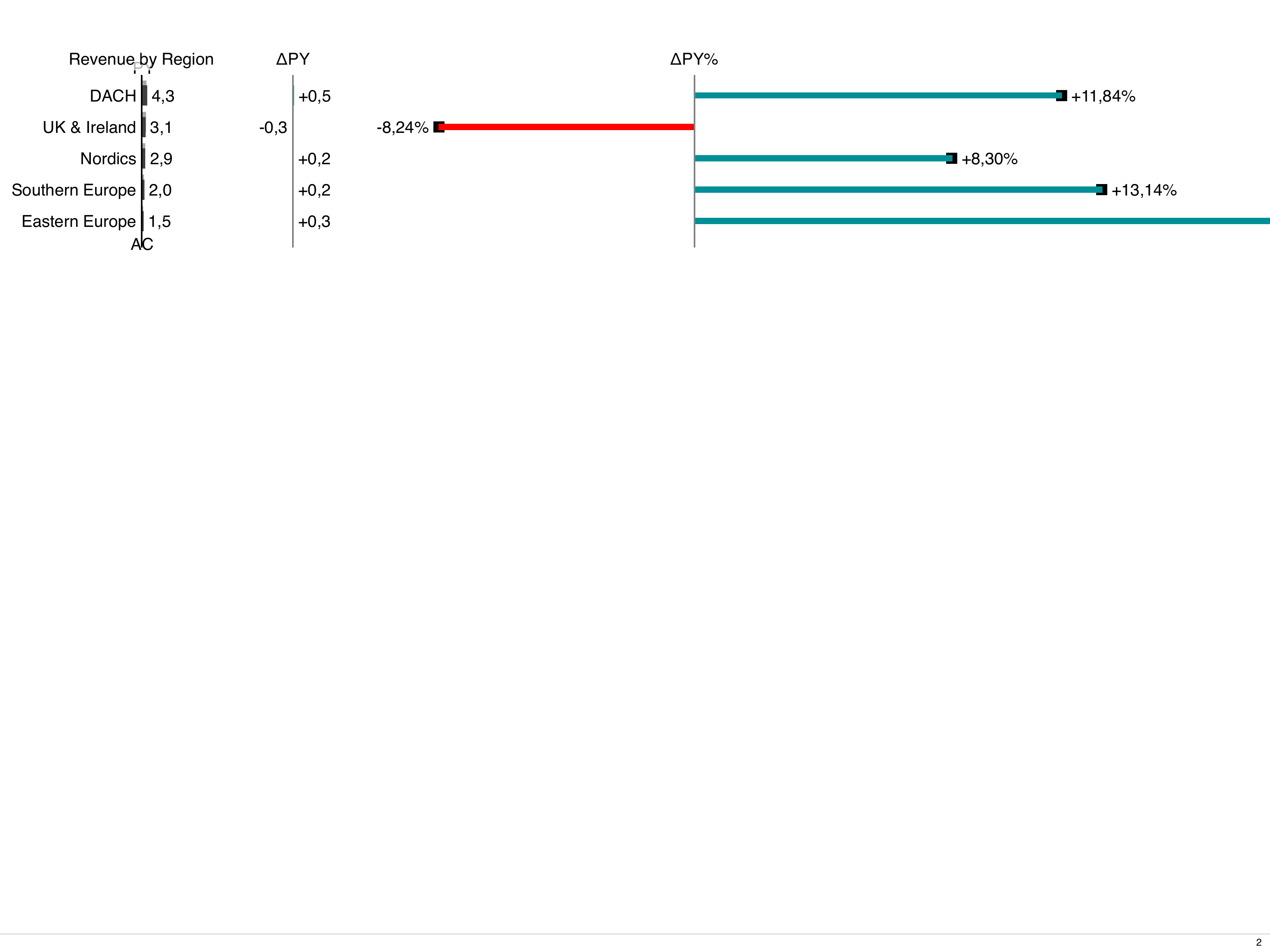
Here is an example of a screenshot captured by ScreenshotArtefact:
Use Cases
Section titled “Use Cases”- Export charts for PowerPoint presentations
- Generate thumbnail previews for dashboards
- Create image assets for documentation
- Capture specific visualizations for email reports
Minimal Example
Section titled “Minimal Example”The simplest screenshot artefact only needs filenamePrefix and refs.
The system automatically finds (or wraps) the component:
apiVersion: bino.bi/v1alpha1
kind: ScreenshotArtefact
metadata:
  name: chart_export
spec:
  filenamePrefix: export
  refs:
    - kind: Table
      name: umsatz_zahlen
Output: export-umsatz_zahlen.png
Spec Outline
Section titled “Spec Outline”apiVersion: bino.bi/v1alpha1
kind: ScreenshotArtefact
metadata:
name: chart_exports
spec:
filenamePrefix: quarterly-report
format: full-hd
orientation: landscape
language: de
scale: device
imageFormat: png
filenamePattern: ref
refs:
- kind: ChartStructure
name: sales_by_region
- kind: Table
name: summary_tableFields
Section titled “Fields”Required Fields
Section titled “Required Fields”spec.filenamePrefix— Prefix for all generated screenshot filenames.spec.refs— List of component references to capture:kind— Component type:ChartStructure,ChartTime,Tree,Table,LayoutCard, orText.name— The component’smetadata.name.
Optional Fields
Section titled “Optional Fields”spec.layoutPages— Explicit list ofLayoutPagenames to render. Usually not needed — see How Components Are Resolved below.spec.format— Viewport size:xga(default),hd,full-hd,4k,4k2k, or paper sizes (a4,a3,letter, etc.).spec.orientation— Viewport orientation:portraitorlandscape(default:landscape).spec.language— Language for rendering:de(default) oren.spec.scale— Screenshot resolution:"css"(default) — 1x resolution (CSS pixels)."device"— 2x resolution (retina/HiDPI). Recommended for sharp output.
spec.filenamePattern— Filename pattern:"ref"(default):{prefix}-{component_name}.{ext}(e.g.,report-sales_chart.png)"index":{prefix}-001.{ext},{prefix}-002.{ext}, etc.
spec.imageFormat—"png"(default) or"jpeg".spec.quality— JPEG quality (1—100). Only used whenimageFormat: jpeg.spec.omitBackground— Iftrue, capture with transparent background (PNG only).
How Components Are Resolved
Section titled “How Components Are Resolved”When layoutPages is omitted (the recommended default), the system resolves each ref automatically:
- Page scan — All
LayoutPagedocuments are scanned for children matching the refkind+name(via inlinemetadata.nameorreffield). If found, that page is rendered. - Standalone wrap — If no page contains the component but a standalone document with the matching
kindandnameexists (e.g., aTabledefined in its own YAML file), bino synthesizes a bare-minimum wrapper page automatically and renders it. - Error — If neither is found, the build fails with a clear error message.
This means you can screenshot any named component in your project without manually wiring up pages.
When layoutPages is set, the system skips auto-discovery and only renders the specified pages. Use this when you need to control rendering params, page format, or when a component appears on multiple pages and you want a specific one.
Component Targeting
Section titled “Component Targeting”Components are targeted by their kind and metadata.name. There are two ways a component can have a name:
Inline Children (on a LayoutPage)
Section titled “Inline Children (on a LayoutPage)”kind: LayoutPage
metadata:
name: dashboard
spec:
children:
- kind: ChartStructure
metadata:
name: sales_chart # targetable as ChartStructure/sales_chart
spec:
dataset: sales_data
chartTitle: Sales by RegionStandalone Components (own YAML file)
Section titled “Standalone Components (own YAML file)”# components/kpi_table.yaml
kind: Table
metadata:
name: kpi_table # targetable as Table/kpi_table
spec:
dataset: kpi_data
tableTitle: Key Performance IndicatorsBoth work identically in refs:
refs:
  - kind: ChartStructure
    name: sales_chart          # found on dashboard page
  - kind: Table
    name: kpi_table            # standalone, auto-wrapped
Examples
Section titled “Examples”Standalone Component Screenshot
Section titled “Standalone Component Screenshot”The simplest case — screenshot a component defined in its own file.
No layoutPages, no dedicated page needed:
# components/revenue_table.yaml
apiVersion: bino.bi/v1alpha1
kind: Table
metadata:
  name: revenue_table
spec:
  dataset: revenue_data
  tableTitle: Revenue Overview
  scenarios: [ac1, fc1]
  variances: [dac1_fc1_pos]
---
# reports/screenshots.yaml
apiVersion: bino.bi/v1alpha1
kind: ScreenshotArtefact
metadata:
  name: table_export
spec:
  filenamePrefix: revenue
  format: full-hd
  scale: device
  refs:
    - kind: Table
      name: revenue_table
Output: revenue-revenue_table.png
High-Resolution Multi-Component Export
Section titled “High-Resolution Multi-Component Export”apiVersion: bino.bi/v1alpha1
kind: ScreenshotArtefact
metadata:
name: presentation_assets
spec:
filenamePrefix: q4-presentation
format: full-hd
scale: device
imageFormat: png
refs:
- kind: ChartStructure
name: sales_overview
- kind: ChartTime
name: monthly_trend
- kind: Table
name: kpi_summaryOutput:
q4-presentation-sales_overview.pngq4-presentation-monthly_trend.pngq4-presentation-kpi_summary.png
JPEG with Quality Control
Section titled “JPEG with Quality Control”apiVersion: bino.bi/v1alpha1
kind: ScreenshotArtefact
metadata:
name: email_charts
spec:
filenamePrefix: weekly-update
imageFormat: jpeg
quality: 85
format: hd
refs:
- kind: ChartStructure
name: weekly_chartOutput: weekly-update-weekly_chart.jpeg
Indexed Filenames
Section titled “Indexed Filenames”apiVersion: bino.bi/v1alpha1
kind: ScreenshotArtefact
metadata:
name: numbered_exports
spec:
filenamePrefix: slide
filenamePattern: index
format: full-hd
scale: device
refs:
- kind: ChartStructure
name: chart_a
- kind: ChartStructure
name: chart_b
- kind: Table
name: summaryOutput: slide-001.png, slide-002.png, slide-003.png
Explicit Page Selection
Section titled “Explicit Page Selection”When a component exists on multiple pages (e.g., with different params) and you need a specific one:
apiVersion: bino.bi/v1alpha1
kind: ScreenshotArtefact
metadata:
  name: regional_charts
spec:
  layoutPages:
    - page: regional_dashboard
      params:
        REGION: EU
  filenamePrefix: eu-dashboard
  format: full-hd
  scale: device
  refs:
    - kind: ChartStructure
      name: regional_sales
Best Practices
Section titled “Best Practices”Use scale: device for sharp images. Without it, screenshots render at 1x CSS pixels which looks blurry on modern displays. The device setting renders at 2x (retina) resolution.
Prefer full-hd or hd format over paper sizes. Paper sizes (a4, letter) are designed for print layouts. Screen formats give components more natural proportions for digital use.
Let refs auto-resolve. Omit layoutPages unless you have a specific reason to set it. Auto-resolution keeps your manifests simple and avoids the format-matching pitfall (the page’s pageFormat must match the artefact’s format, otherwise the page is silently excluded).
Use standalone components for reusable exports. Define components in their own YAML files (e.g., components/kpi_table.yaml) and reference them by name. This way the same component can be used in reports, preview, and screenshot exports.
Match format when using layoutPages. If you explicitly set layoutPages, ensure the page’s pageFormat matches the artefact’s format. A full-hd artefact will not render an a4 page — the page is silently skipped. This is the most common cause of empty screenshots.
Supported Component Kinds
Section titled “Supported Component Kinds”| Kind | Description |
|---|---|
ChartStructure | Structural/categorical charts (bar, waterfall, etc.) |
ChartTime | Time-series charts |
Tree | Hierarchical tree diagrams |
Table | Data tables |
LayoutCard | Card containers |
Text | Text components |
- Components must have
metadata.namedefined to be targetable. - Screenshots are captured after the page has fully rendered (including async data loading).
- Multiple
ScreenshotArtefactdocuments can target the same components with different settings (e.g., PNG + JPEG, or different formats). - When auto-wrapping standalone components, the synthetic page inherits
formatandorientationfrom the artefact spec.